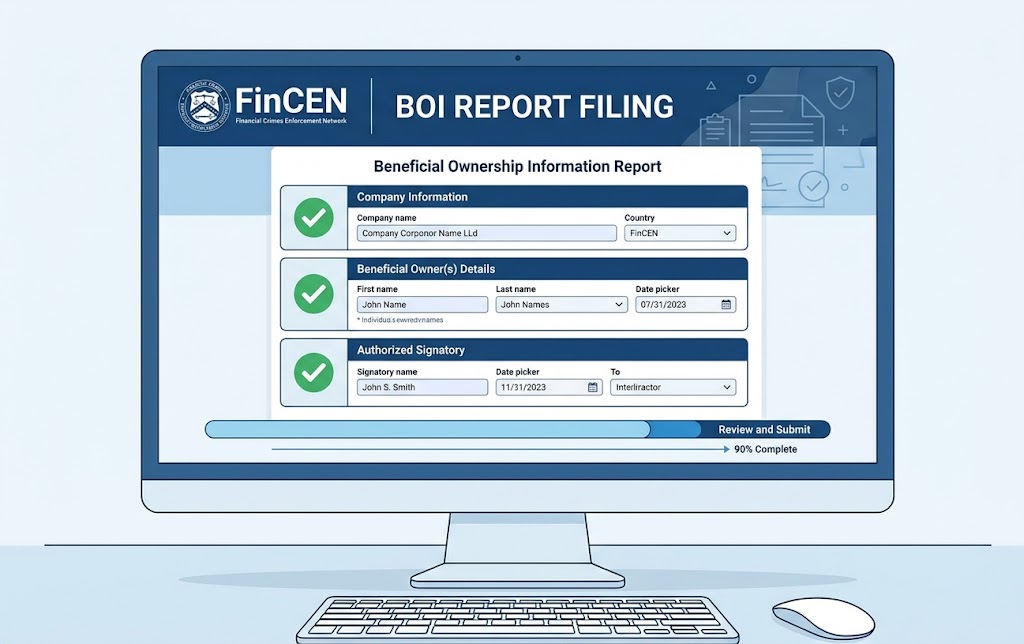
Filing a Beneficial Ownership Information (BOI) report with FinCEN is free and done online. This step-by-step guide walks you through the process, what to prepare, and how to file correctly the first time.
How to File a BOI Report with FinCEN — Step-by-Step Guide
Filing a Beneficial Ownership Information (BOI) report with FinCEN is simpler than most compliance filings — it's free, done entirely online, and typically takes less than 30 minutes once you have your information organized.
Here's exactly how to do it.
Before You Start: What to Gather
Have the following information ready before you open the FinCEN filing system:
For Your Company:
- Full legal name of the company
- Any trade names or DBA names
- Principal place of business address (street address — no P.O. boxes)
- State or tribal jurisdiction of formation or registration
- IRS Employer Identification Number (EIN) or Tax Identification Number
For Each Beneficial Owner:
- Full legal name
- Date of birth
- Current residential street address
- Unique identifying number from an acceptable ID document (driver's license, passport, or state ID)
- Issuing jurisdiction of the ID
- A clear image of the ID document (photo or scan)
Beneficial owners are: any individual who directly or indirectly owns or controls 25% or more of the company, plus any individual who exercises substantial control over the company (typically the CEO, CFO, COO, and General Counsel).
For more context on who is a beneficial owner and who is exempt, review FinCEN's guidance at boiefiling.fincen.gov.
Step-by-Step Filing Instructions
Step 1: Go to the FinCEN BOI Filing System
Navigate to boiefiling.fincen.gov. This is the official FinCEN filing portal — filing is free and no account creation is required for a one-time filing. (You can create an account to save your work or make future updates easier.)
Step 2: Select the Report Type
Choose from: Initial Report (filing for the first time), Updated Report (correcting or updating a previously filed report), or Correction (fixing an error in a prior filing).
Step 3: Enter Company Information
Fill in all required company fields: legal name, any trade names, formation jurisdiction, principal US address, and EIN. Double-check every field — errors require a correction filing.
Step 4: Identify Whether You Qualify for a FinCEN Identifier
FinCEN offers an option to obtain a FinCEN Identifier — a unique number that can be used in place of entering full personal information for each beneficial owner. This is useful for individuals who are beneficial owners of multiple companies. If a beneficial owner already has a FinCEN Identifier, you can enter it rather than their full personal details.
Step 5: Enter Beneficial Owner Information
For each beneficial owner, enter their full name, date of birth, residential address, and ID information. Upload a clear image of their government-issued ID. Repeat for each beneficial owner.
Step 6: Enter Company Applicant Information (New Companies Only)
For companies formed on or after January 1, 2024, you must also identify the "company applicant" — the individual who physically filed the formation documents. Companies formed before January 1, 2024 do not need to provide company applicant information.
Step 7: Review and Submit
Review all information carefully before submitting. Once submitted, the report is accepted immediately. You'll receive a confirmation with a FinCEN report identifier — save this for your records.
What Happens After Filing?
Your BOI report is submitted to FinCEN's secure database. It is not publicly accessible — it's available only to law enforcement and certain authorized government users. You don't receive a confirmation letter, but the submission confirmation screen and the FinCEN report identifier serve as your proof of filing.
When Do You Need to File an Update?
You must file an updated BOI report within 30 days of any change in your beneficial ownership information — including:
- A new investor crossing the 25% ownership threshold
- A change in a beneficial owner's name, address, or ID document
- A change in your company's address or legal name
- A new senior officer joining the company
Frequently Asked Questions
Is there a filing fee?
No. Filing a BOI report with FinCEN is free. You do not need to pay anyone to file on your behalf — be cautious of third parties charging fees for BOI filing assistance.
Can someone else file on my behalf?
Yes. A third-party filing agent (attorney, accountant, compliance consultant) can file on your behalf. However, the company remains responsible for the accuracy and completeness of the report.
What happens if I file incorrect information?
File a correction as soon as you discover the error. FinCEN's system allows correction filings. Willful submission of false information carries criminal penalties.
Is my information safe?
BOI information is stored in a secure FinCEN database and is not publicly available. Access is limited to law enforcement, certain federal agencies, financial institutions conducting customer due diligence (with customer consent), and foreign law enforcement through treaty processes.
This article is for educational purposes only and does not constitute legal or compliance advice. BOI reporting rules have been subject to litigation and regulatory changes — always verify current requirements at fincen.gov or with qualified legal counsel.